
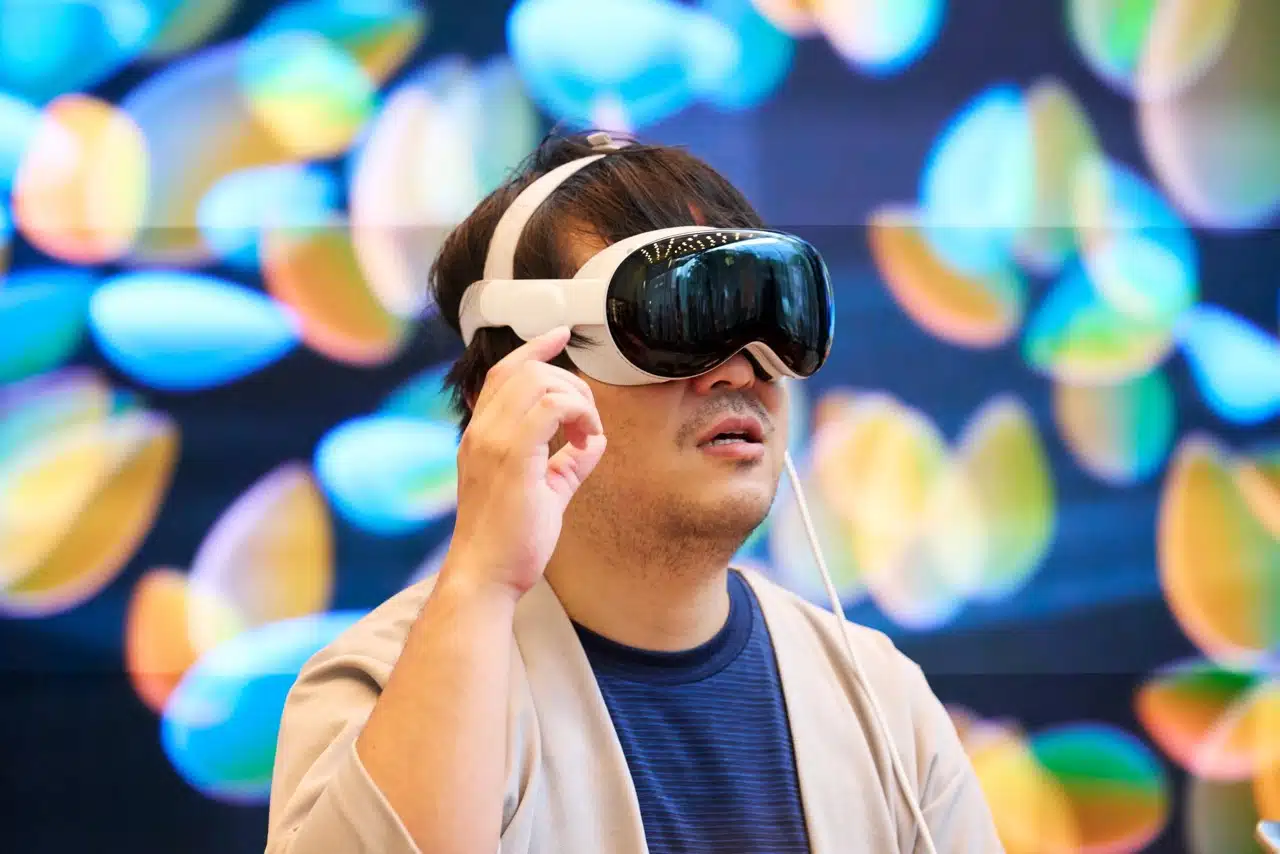
The first Vision Pro did not fail because the idea was small. The Spatial Computing Future will be shaped by what happens after the headset stops feeling like a luxury screen strapped to your face and starts acting like a quiet layer over daily work, training, shopping, design, and field support. That matters for U.S. business owners, tech buyers, and regular people who watched Apple Vision Pro arrive with stunning demos, a high price, heavy hardware, and a thin reason to wear it after the first week. The better question is not whether one headset can replace your laptop. It is whether computers can learn the room, respect your attention, and help you act faster in real spaces. For readers who follow practical technology coverage, the next wave will look less like sci-fi and more like a repair worker seeing a wiring path, a surgeon rehearsing a case, or a furniture buyer checking scale before spending money. The winner will not be the flashiest demo. It will be the product people forget they are wearing.
Why the Spatial Computing Future Will Not Be Won by One Headset
The first big lesson is plain: mixed reality devices cannot win by asking people to admire them. They have to disappear into the task. Apple Vision Pro proved that high-end displays, hand tracking, and polished software can make digital objects feel present, but it also showed the cost of asking a normal American household to treat a headset like a main computer. A $3,499 launch price creates pressure. Weight creates pressure. App gaps create pressure. So do fit, battery packs, prescription needs, and the awkward feeling of being sealed off from people in the same room. The non-obvious part is that the product may still matter even if the first version never becomes common. A household device also has to survive sharing, cleaning, storage, and the simple fact that nobody wants to look absent during dinner. Some devices exist to teach the market what to reject.
Comfort Beats Display Magic Over Long Sessions
A beautiful display gets attention in a store. Comfort decides what stays on your head after lunch. That split explains why many people can admire a premium headset and still prefer a laptop for writing, spreadsheets, or a two-hour Zoom call. Neck strain, face pressure, warm hardware, and battery friction all turn wonder into a chore. Living rooms are social spaces too, so a device that hides your eyes changes the mood before the app even opens.
For a U.S. architect, the headset can make a building model feel alive. Walk through a lobby before crews pour concrete, and the value becomes clear. Yet that same architect may take it off when reviewing permits or replying to clients. The device wins during spatial tasks and loses during plain office work. That is not a small flaw. It is the product category telling us where it belongs first.
This is why the next jump may come from many shapes, not one hero device. Some mixed reality devices will stay powerful and enclosed for design, simulation, and therapy. Lighter glasses will handle quick overlays. Phones will still act as cameras, remotes, and setup tools. The market will not move in a straight line from phone to headset. It will split by job, comfort level, and setting.
The Best Interface May Be the One You Forget
The most useful interface in this field might not be a floating screen. It might be a label over a machine part, a route across a warehouse floor, or a small note pinned to your kitchen counter. People do not want more windows. They want less confusion.
That changes design. A weather app in a headset is cute once. A mechanic seeing the correct bolt pattern while standing beside a Ford F-150 has a reason to keep going. A diabetic patient learning how a medical device sits on the body before using it at home has a reason too. The interface earns trust when it reduces fear or mistakes.
Apple helped make eye and hand input feel normal, but the next step needs restraint. Bigger is not always better. A room full of floating panels can feel like digital clutter with better shadows. The best spatial design may look almost boring because it appears only when it has work to do. That is a hard lesson for software teams trained to fill screens, but it may be the lesson that saves the category. A good tool does not ask for applause while you are trying to fix a pipe, learn a procedure, or choose a couch.
Business Use Cases Will Grow Before Living Room Habits Do
Consumer hype loves the couch: movies, games, virtual vacations, giant screens. Business adoption cares about risk, cost, training time, and repeatable value. That is where enterprise AR tools can grow before the average family feels a need for them. A company does not need a headset to be cool. It needs fewer safety incidents, fewer travel bills, faster training, or better sales demos. The first-generation Vision Pro may have opened the door, but U.S. workplaces will decide which parts of the idea survive. The strongest early buyers will not ask, “Is this the next phone?” They will ask, “Where does a flat screen fail our team?” That question sounds plain, but it protects budgets from theater. A chief operations officer does not need magic; they need a safer shift, a faster install, or a better close rate.
Training Makes the Math Easier
Training is one of the cleanest early fits because mistakes cost money. A warehouse worker can practice a loading routine without blocking a dock. A nurse can rehearse equipment setup before touching a patient. A technician can learn a repair path before a service truck rolls out. Those minutes matter.
Apple’s own business examples point toward workspaces, 3D design, employee training, and remote fieldwork through Apple’s business overview for Vision Pro. That does not mean every company should buy headsets this quarter. It means the serious uses are already narrower than the marketing. Narrow is good. Narrow is where budgets become honest.
The counterintuitive point is that enterprise AR tools may succeed by being less exciting than entertainment apps. A forklift training simulation does not need to impress TikTok. It needs to help one new employee avoid one expensive mistake. The return can hide inside a boring line item, which is exactly why it can last. Trade schools, hospital systems, and energy crews may adopt the dullest apps first because the dull jobs have the clearest pain. A community college welding lab, for example, could use guided practice to help students understand angles and spacing before they burn material.
Remote Work Needs Shared Space, Not Fake Offices
Virtual offices often miss what people need. A cartoon conference room does not fix a messy project. A floating avatar does not make a design review clearer. Remote work needs shared context, and that means giving people the same object, room, or procedure to inspect at the same time.
Think about an HVAC contractor in Phoenix supporting a junior tech inside a hot attic. A senior worker does not need to fly in. They need to see the unit, mark the panel, point to the sensor, and leave a clear instruction that stays tied to the real object. That is where mixed reality devices can beat a phone call. The same logic works for a kitchen remodeler in Ohio showing a homeowner why a cabinet door will hit a window trim.
This also changes how managers should plan. Start with jobs where sight, space, and timing create the friction. Field service, medical training, home improvement sales, industrial design, and insurance inspection all fit. A headset for email sounds silly. A headset that helps a roof inspector mark storm damage in place sounds practical. That gap between silly and practical is where the market gets honest. Teams should ask workers where they pause, call for help, or take a photo to explain the problem. Those moments are better clues than any keynote clip.
Smart Glasses, Sensors, and AI Will Split the Job
The next phase will not belong only to headsets. Smart glasses, rings, watches, cameras, voice agents, and room sensors will divide the work. That may sound less dramatic, but it fits how people live. You do not wear ski goggles to check a grocery list. You might wear normal-looking glasses that whisper a reminder, translate a sign, or show a small arrow in a parking garage. The device that wins the day may be weaker than a headset but present at the right moment. This is the part many tech debates miss: presence can beat power. A weaker device that sits on your face all day may matter more than a stronger one that stays in a drawer. Convenience has a way of beating spectacle.
Glasses Will Handle Glance Work
Smart glasses have one advantage headsets struggle to match: social permission. People will wear something in public if it looks close to normal eyewear. That does not make glasses more powerful. It makes them more likely to be nearby when you need them.
A commuter in Chicago may not want a full headset on the train. Glasses that show a platform change, mute a call, or guide a walk through Union Station make more sense. A retail manager in Dallas could scan shelf gaps while walking the floor. A parent in Tampa could get cooking steps without touching a flour-covered phone. Small moments create habits.
The tradeoff is clear. Glasses have less room for battery, heat, cameras, and display hardware. They will not replace rich mixed reality devices for surgery planning or factory simulation. They will handle lightweight tasks that appear in the edge of life. That is not a weakness. It is a lane. The mistake would be judging them as failed headsets instead of successful glance tools. A one-line prompt at the right moment can be worth more than a giant virtual monitor nobody asked for.
AI Turns Rooms Into Working Memory
AI changes the category because it can help devices understand what matters in a space. A headset can map a room. A smarter system can remember that the blue valve was inspected, the left shelf has low stock, or the couch will block the walkway if placed near the window. The magic is not a floating screen. It is memory tied to place.
That also helps explain why AI hardware trends explained belong in the same conversation as spatial interfaces. Cameras, chips, on-device models, and privacy controls will decide whether the system feels helpful or creepy. A device that can see your room should not send every private detail to a distant server without a strong reason. Local processing, clear storage limits, and visible controls will matter as much as screen quality.
Here is the hard truth: the better these systems get, the less they should ask you to manage. You should not have to name every object, drag every panel, or teach every app where the wall is. The room should become a quiet working surface, and the computer should do more of the setup. The user should feel guided, not managed. If the system needs constant correction, the spell breaks. The better version feels like the room has gained memory, not like another app is demanding attention.
Privacy, Pricing, and App Design Decide What Survives
Hardware gets the headlines, but trust will decide adoption. A spatial device can collect more intimate data than a phone because it can read rooms, gestures, eye movement, hand patterns, and bystander presence. That creates a new bargain. People may accept cameras on their face if the value is clear and the rules are strict. They will reject the same device if it feels like a roaming sensor with unclear motives. Price matters too, but price falls only after purpose becomes plain. Cheap hardware without trust still feels expensive. This is especially true in the U.S., where homes, schools, clinics, and offices all carry different expectations about consent. A device that moves between those places must make its behavior obvious.
Spatial Maps Are More Sensitive Than Photos
A photo shows a moment. A room map can reveal how you live. It can show where your child’s bed sits, what medicine is on the counter, what tools are in the garage, and which doors connect to private rooms. That kind of data needs stronger habits than normal app permissions.
For a small business, the risk becomes even sharper. A contractor using enterprise AR tools inside a client’s home may capture private layouts. A hospital may expose patient rooms. A law office may reveal documents on desks. Permission cannot be a one-time pop-up that nobody reads. It needs plain controls, visible recording signs, local processing where possible, and easy deletion.
The surprise is that privacy can become a selling point, not a brake. The companies that explain what they collect in plain English may win trust faster than the ones with longer feature lists. In this category, restraint is a product feature. A device that knows when not to record may feel safer than one that can do more. That may sound like a limit, but limits often make people comfortable enough to try new tools.
Developers Must Stop Thinking in Flat Screens
Many early apps feel like tablet software placed in the air. That is natural. Developers know screens. Users know screens. But a flat window floating six feet away does not make an app spatial. It makes the room a desk with more neck movement.
Better apps start with the room. A home design app should let you walk around a sofa, check clearance, and compare morning light. A fitness app should see floor space and keep you away from a coffee table. A manufacturing app should attach steps to the machine, not bury them in a menu. This is where smart workplace planning guide thinking can help teams avoid buying hardware before they map the job.
The design shift feels small until you try it. The question is no longer, “What screen should this appear on?” The better question is, “What should the user see here, in this place, while doing this action?” Once teams ask that, the whole category starts to feel less like a novelty and more like a tool. Apps that respect the room will age better than apps that paste yesterday’s interface onto tomorrow’s glass. They will also reduce fatigue because the user spends less time pinching, dragging, and arranging panels in the air.
Conclusion
The first wave made one thing clear: people do not need another expensive screen unless it earns its place in the room. Headsets will keep improving, glasses will get lighter, and AI will make digital objects less clumsy. Still, the real test is not specs. It is whether the product helps you finish a task with less strain, fewer errors, and more confidence.
The Spatial Computing Future needs patience because the best version may arrive in pieces. A headset for training. Glasses for quick prompts. A phone for capture. A private AI model that understands a space without turning the user into the product. That mixed path may look messy from the outside, but it is how durable tech often grows.
For U.S. buyers and business owners, the smart move is simple: ignore the grand promise and test the job. If the device saves time, reduces risk, or explains space better than a screen, it deserves attention. If it only looks impressive in a demo, leave it on the shelf.
Frequently Asked Questions
Is Apple Vision Pro worth buying for everyday home use?
For most households, it is hard to justify as a daily device. The display quality and interface feel impressive, but price, weight, and limited must-have uses make it more appealing to enthusiasts, developers, and certain business teams than casual home users.
What is the biggest limitation of first-generation spatial headsets?
Comfort is the main barrier. A headset can offer strong visuals and still lose people after long sessions because of weight, heat, battery friction, and face pressure. Daily use needs comfort before it needs more dramatic demos.
Will smart glasses replace mixed reality headsets?
They will likely handle different jobs. Smart glasses fit quick public tasks, small prompts, navigation, and hands-free updates. Headsets make more sense for rich design, simulation, training, and immersive review work where power and visual depth matter more.
How can small businesses use enterprise AR tools?
Start with tasks where visual guidance reduces mistakes. Training, equipment repair, showroom demos, safety practice, and remote expert support are good first tests. Avoid buying devices for general office work until you have a clear workflow with measurable savings.
Why does spatial data create privacy concerns?
These devices can understand rooms, objects, gestures, and sometimes eye behavior. That makes the data more personal than a normal photo. Homes, clinics, offices, and job sites need clear recording rules, local processing options, and simple deletion controls.
What apps make the most sense for spatial computing?
The best apps depend on physical space. Home design, medical training, industrial repair, education, fitness, architecture, and field service all benefit because the user needs to see size, position, movement, or procedure in context.
Will spatial computing replace laptops?
Laptops will remain better for typing, spreadsheets, long writing, and many office tasks. Spatial systems will grow around jobs that need depth, hands-free help, shared 3D review, or real-world guidance. Replacement is less likely than role splitting.
What should buyers watch before spending money on a headset?
Look for comfort, return policy, app support, privacy controls, battery setup, and whether the device solves a repeat problem. A good demo is not enough. The best purchase case is a task you already struggle to complete on a flat screen.