A slow website does not feel like a technical problem when customers are leaving carts behind. It feels like lost sales, angry staff, and another bill from a vendor who speaks in acronyms. Docker Container Technology helps solve one common cause of that real business environment. For non developer business owners, the easiest way to think about Docker is this: it packs an app with the pieces it needs, then runs that package in a clean, predictable space. That can make software deployment calmer, faster, and easier to repeat. If you run a U.S. service company, online store, agency, clinic, franchise, or local media brand, you do not need to write code to care about this. You need to know why your team can launch updates with fewer surprises, why vendors quote certain hosting plans, and why plain-English business technology guidance matters when software decisions start affecting payroll, leads, and customer trust.
Docker Container Technology Turns Software Into a Portable Business Asset
A business does not buy software for the poetry of the architecture. It buys outcomes: checkout works, bookings save, invoices sync, reports load, and staff can get through the day without calling the same support line twice. The container idea matters because it turns part of your software setup into a repeatable package rather than a fragile pile of settings. That sounds plain. It is. The power sits in the plainness.
What containers do without the developer talk
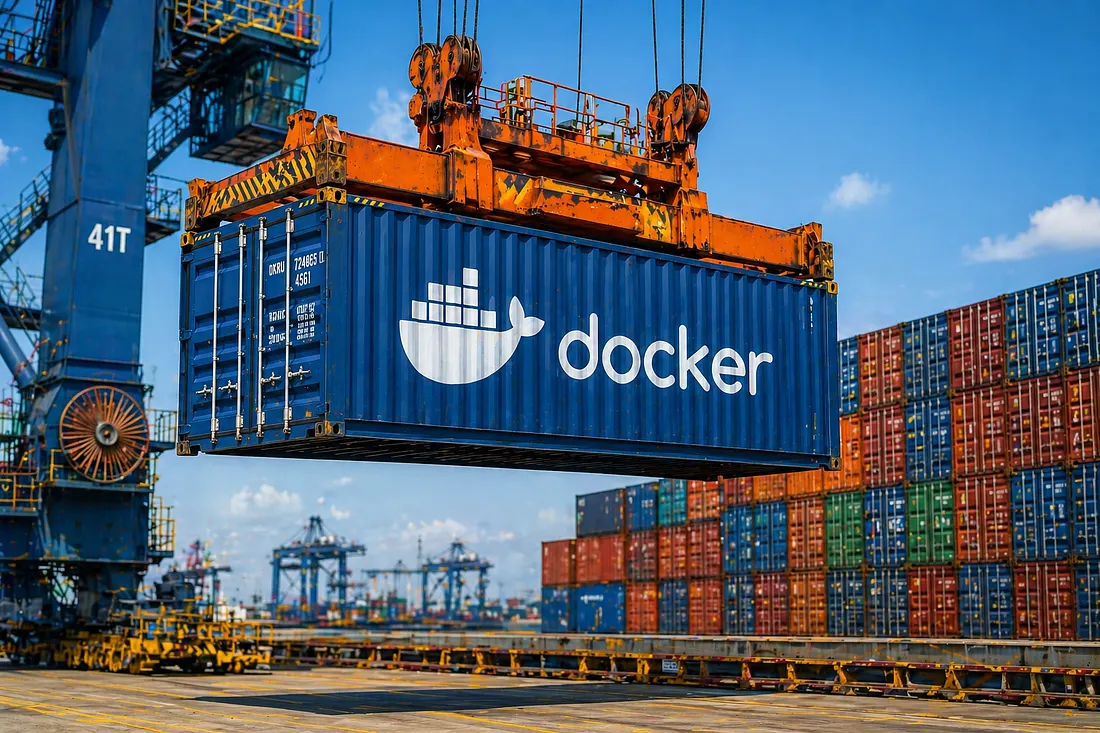
Think about a food truck that can park in Phoenix, Dallas, or Tampa and still serve the same menu because it carries its own grill, tools, prep layout, and storage. The parking lot changes. The working setup does not. A container works in a similar business sense. It carries the app and the supporting pieces the app expects.
That does not mean every server becomes identical. It means the app arrives with fewer hidden assumptions. A web app may need a certain version of a programming language, a few system libraries, and a set of settings. Without containers, those pieces can drift apart across laptops, test servers, and live hosting. Drift is where weird failures begin.
The best non technical takeaway is this: containers lower the number of places where small setup differences can break an update. They do not remove management. They do reduce one class of mess that makes software deployment feel random. That alone can change how an owner feels about the next release date.
You can also think of a container as a receipt for the app’s working conditions. It tells the team what the app expected when it ran well. Months later, when someone asks why a report no longer loads or why a checkout update failed, that receipt has value. It keeps the team from rebuilding history through guesswork.
Why containerized applications matter to owners
Containerized applications help owners ask better questions. Instead of asking, “Why did the site break again?” you can ask, “Was the same package tested before it went live?” That shift changes the room. It moves the talk away from blame and toward process.
Picture a small U.S. retailer with a custom inventory tool tied to Shopify, QuickBooks, and a warehouse scanner. Before containers, the developer may test a change locally, pass it to staging, then discover the live server has a different library. The change works in one place and fails in another. The owner hears, “It worked on our end.” Nobody enjoys that sentence.
A container approach does not make the software perfect. Oddly, that is the hidden benefit. It makes failures easier to locate. When the package is the same across environments, the team can focus on data, traffic, permissions, or outside services instead of chasing invisible setup gaps.
That matters when you pay for support by the hour. A team that can rule out setup differences faster can spend more time fixing the actual issue. For business owners, that is not a nerdy detail. It is a cost control detail hiding under a technical name.
Containers Are Not Tiny Servers, and That Difference Saves Money
Many owners hear “container” and imagine a smaller server. That is close enough for a hallway chat, but it misses the business lesson. A virtual machine often carries a full operating system. A container shares more of the host system and runs as an isolated process with what it needs. Docker’s own official Docker container basics explain the core idea in direct terms. Less overhead can mean better use of infrastructure, but the bigger win is often cleaner work.
The practical gap between containers and virtual machines
Virtual machines still have a place. If your accounting system needs strict separation, an older operating system, or heavy compliance control, a VM may be the safer call. Containers shine when teams need many app parts to run side by side without each one carrying a full operating system.
Say your business runs a public website, a customer portal, a reporting dashboard, and a background job that sends appointment reminders. A vendor might place each part in its own container. If the reminder job has trouble, it can be restarted without touching the customer portal. That kind of separation can make support less dramatic.
The non-obvious point: containers are not only about speed. They are about blast radius. When one piece fails, you want a fence around the damage. Good software operations are often less about avoiding every failure and more about keeping a small failure from becoming a bad afternoon.
There is also a staffing angle. A new developer can join the project and start from a defined package rather than a vague note that says “ask Rob about the server.” That does not replace training, but it removes a common source of delay. In a small company, fewer delays can matter more than fancy architecture.
How software deployment gets less fragile
Software deployment often fails because the release path is too personal. One developer knows the steps. One vendor has the checklist. One old server has settings nobody wrote down. That is not a system. That is memory wearing a company badge.
Containers push teams toward written setup. The instructions for building the app package become part of the project. A new developer, a hosting provider, or an internal IT person can see more of what the app needs instead of guessing from server history. For owners, that creates bargaining power. You are less trapped by one person’s memory.
This is where small business cloud planning guide style thinking matters. A container plan should connect to costs, vendor access, backup habits, and support coverage. The tech choice only pays off when it makes the business less dependent on a secret recipe.
The surprise is that the biggest savings may show up during boring maintenance. A routine security patch, a version change, or a hosting move can expose weak setup notes. Containers give teams a cleaner map. That map may not look valuable until the day your old host raises prices or your main developer takes another job.
Docker Helps Teams Ship Updates Without Turning Every Release Into a Gamble
A release should not feel like closing your eyes and pressing a red button. Yet many firms operate that way because their software process grew by accident. First came a website. Then a portal. Then a CRM link. Then a patch from a freelancer. A few years later, nobody can explain the whole machine without opening six browser tabs and calling two people. Docker gives structure to that mess when the team uses it with discipline.
Why repeatable packages build trust
Trust in software does not come from cheerful promises. It comes from repetition. The same package moves from test to live. The same command starts it. The same logs help the team see what happened. A container model supports that kind of repeatable work.
Take a dental group with offices in Ohio and North Carolina. Its online booking system connects with calendars, reminders, and patient intake forms. The owner cares about filled chairs, not architecture diagrams. If a containerized booking app can be tested in a clone of the live setup, the team has a better chance of catching problems before Monday morning calls begin.
There is a strange comfort here. The goal is not to make releases exciting. The goal is to make them boring. Boring releases are good business. They mean fewer late-night fixes, fewer emergency meetings, and fewer customers becoming testers by accident.
This also improves vendor reviews. When a vendor says a release is ready, you can ask what package was tested, where it was tested, and whether that same package will go live. Those are owner-level questions. They do not require code knowledge, but they force the vendor to prove the process.
Containerized applications also make growth less chaotic. A firm that opens a second office, adds a new service line, or brings in a new support vendor can repeat more of the setup. The business still needs planning. Yet the app itself is less tied to the quirks of one machine or one person’s laptop.
Where business owners should still stay cautious
Docker is not a magic shield. A poorly built app in a container remains a poorly built app. Bad passwords, weak access rules, missing backups, and sloppy monitoring do not disappear because the software is packaged well.
Owners should ask three questions before approving a container-based setup. Who updates the base images? Where are secrets like passwords and API keys stored? How quickly can the system roll back after a bad release? Those questions cut through the fog without asking you to become a developer.
The counterintuitive part is that containers can make bad habits move faster too. A careless team can ship mistakes with more speed. That is why process matters. The tool should support review, testing, rollback, and monitoring. It should not become an excuse to rush.
Security deserves plain language here. A container may be isolated, but it still runs software that needs patches and access control. If the team cannot explain how updates are tracked, the container setup may give a false sense of safety. Calm confidence is earned through habits, not labels.
Another caution: container work can expose weak ownership. The vendor may own the code, the host may own the server, and an outside contractor may own the deployment scripts. When trouble appears, each party may point elsewhere. A clear responsibility chart is less glamorous than a new tool, but it may save the project.
The Business Case Is Control, Not Trend Chasing
Some technology gets sold like fashion. New name, new diagram, new invoice. Docker earns a place only when it gives you more control over cost, vendor risk, speed, uptime, or hiring. Owners should treat it as an operations decision, not a badge that proves the company is modern. The question is not “Do we use Docker?” The question is “What business weakness will this fix?”
What to ask vendors before you approve Docker work
Start with plain questions. Where will the containers run? Who can access them? How are they backed up? What happens if the hosting provider has an outage? How are updates tested before customers see them?
A serious vendor should answer without making you feel small. They may explain technical pieces, but the business meaning should stay clear. If the answer to every question is “our team handles that,” press harder. You are not asking to control every button. You are asking to understand the risk your company owns.
For a Los Angeles marketing agency running client dashboards, a container setup may reduce onboarding time for new clients. For a Chicago manufacturer with a plant-floor reporting tool, it may help test updates before they touch production data. Different business. Same owner-level question: does this make the operation easier to run?
Ask for a simple drawing of the setup. Not a glossy sales diagram. A plain map showing the website, database, containers, backups, and outside services. If the vendor cannot draw it, they may not own the system clearly enough to protect you when pressure hits.
Owners should also ask how the setup will look on an invoice. Container work can affect hosting, monitoring, build tools, security scanning, and support time. That does not make it bad. It means the budget should show the whole operating model, not a cheap build fee followed by surprise maintenance.
When Docker is worth it and when it is not
Docker may be worth it when your company has custom software, frequent updates, several app parts, mixed vendors, or plans to move between hosting options. It can also help when hiring new developers because the project setup can be easier to recreate.
It may be overkill for a simple brochure site, a basic WordPress setup, or a tool fully managed by a software provider. You do not need a container plan for every digital asset. Sometimes the right answer is a cleaner hosting plan, stronger backups, or fewer plugins.
This is where technology budget planning for owners should be honest. The cheapest system is not always the least costly. The fanciest system is not always the safest. The right system reduces stress in the parts of the business where stress already costs money.
One more test helps. If downtime for that app would cost money, trust, or staff time within the same day, the app deserves better operational design. Docker may be part of that design. If nobody would notice for a week, keep the setup simple and spend the budget elsewhere.
The strongest business case appears when containerized applications support a clear operating promise. Faster client onboarding. Cleaner releases. Less vendor lock-in. Easier hiring. Safer testing. Pick the promise first, then judge the tool against it. That keeps the conversation grounded in business value.
Conclusion
The plain value of Docker is not that it makes you sound technical in a vendor meeting. It gives your software a cleaner way to travel from idea to test to live use, with fewer hidden setup problems along the way. For non developer owners, that can mean calmer updates, clearer vendor talks, and better control over hosting choices.
Docker Container Technology deserves attention when software has become part of how your company earns, serves, schedules, reports, or sells. It is less useful as a trend and more useful as a discipline. Ask for repeatable releases. Ask about rollback. Ask who patches images and who watches logs. Ask how the setup lowers business risk.
You do not need to become the engineer in the room. You need enough understanding to stop buying mystery. The smartest owners will not chase every new tool. They will choose the tools that make their companies less fragile. That choice protects attention, cash, and customer patience.
Frequently Asked Questions
What does Docker mean in simple business terms?
Docker is a way to package software so it brings along the pieces it needs to run. For an owner, the value is predictability. The app has fewer surprises when it moves from testing to live hosting or from one server setup to another.
Is Docker useful for small business websites?
It can be useful when the site has custom features, frequent updates, or several connected services. A plain brochure site may not need it. A booking portal, customer dashboard, or ecommerce system with custom code may gain better release control.
How does Docker help with software deployment?
It gives the team a repeatable package to test and launch. That lowers the chance of setup differences causing trouble after release. The process still needs testing, backups, monitoring, and rollback planning.
Are Docker containers cheaper than virtual machines?
They can use resources more efficiently, but cost depends on hosting, traffic, support, and management. The bigger value may be less downtime and easier updates rather than a lower monthly bill on day one.
Do business owners need to understand Docker commands?
No. Owners should understand the business questions, not the command line. Ask who maintains images, where backups live, how releases are tested, and how fast the team can recover after a bad update.
Can Docker improve website speed?
It can support a cleaner setup, but it does not automatically make a slow site fast. Speed also depends on code quality, database design, caching, hosting power, image size, and third-party scripts.
What risks come with Docker containers?
The main risks come from weak process: old images, exposed secrets, poor access control, missing logs, and no rollback plan. Containers make packaging easier, but they do not replace security work or smart operations.
When should a company avoid Docker?
Avoid it when the software is simple, fully managed by a provider, or not worth the extra setup. A basic site may need better hosting, backups, or maintenance before it needs containers.